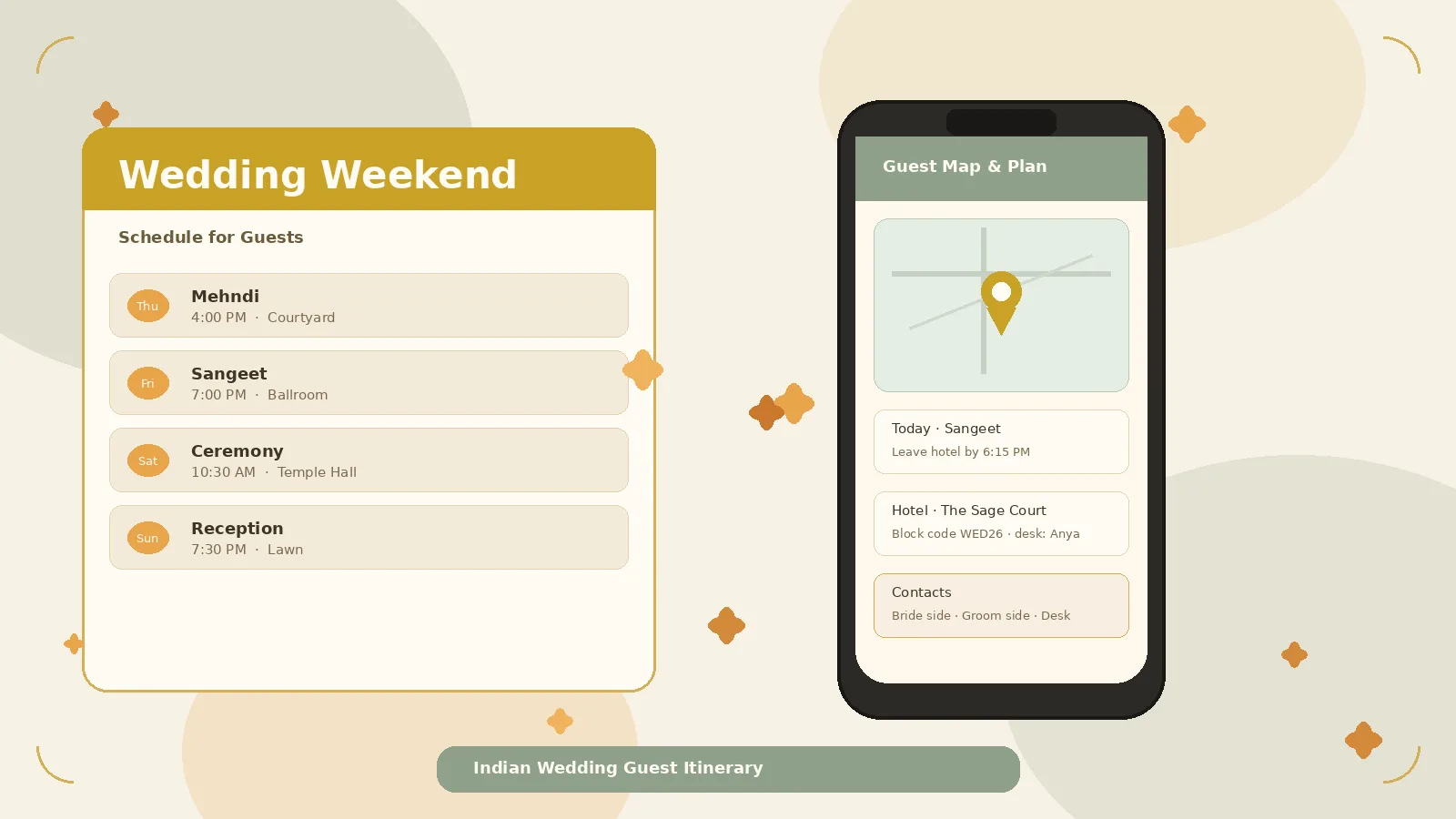
A beautiful invitation tells guests they are welcome. An Indian wedding guest itinerary tells them how to show up without stress — which function starts when, what to wear, where to stay, and who to call if the car is stuck in traffic.
For multi-day celebrations that mix mehndi, sangeet, ceremony, and reception — often across venues, a resort, and a family home — the itinerary is the guest-facing document that prevents the most common wedding-weekend confusion. This guide is for couples and families building that schedule for local guests, outstation relatives, and NRI travellers who need clarity before they book flights.
Why a guest itinerary matters more than a pretty invite
Indian wedding weekends are not a single evening. Guests manage multiple dress codes, travel between venues, hotel check-in windows that do not match function start times, kids who need quieter hours, and elders who want a clear pickup plan — not another group-chat thread.
When that information lives only in WhatsApp forwards, people miss the sangeet start time, arrive in the wrong outfit, or message ten relatives for the same map pin. A single, calm wedding weekend schedule for guests in India reduces those loops — and it makes hosts look organised without sounding bossy.
Think of the itinerary as hospitality, not administration.
What belongs on a guest-facing itinerary
Build one master document. Share shorter versions for guests invited to fewer events — but keep the core facts identical.
1. Function-by-function schedule
For every event, list:
- Name of the function (Mehndi, Haldi, Sangeet, Ceremony, Reception — use the names your families actually use)
- Date and start time (and expected end or “open till” if useful)
- Venue name + short address
- Who is invited, in plain language, if the guest is not on every event (“Sangeet & Reception for you”)
Optional but valuable: a one-line vibe note (“intimate morning with close family,” “dance-floor evening”). Guests use that to decide shoes, jewellery, and whether to bring children.
2. Dress notes without fashion policing
Guests want guidance, not a runway brief. Keep notes short:
- Colour palette suggestions (e.g. pastels for mehndi, festive for sangeet)
- Formality level (day festive / evening glam / traditional ceremony attire)
- Practical tips: outdoor heat, footwear for grass or marble, a stole or jacket for AC venues
Skip long brand lists. One clear sentence per function is enough.
3. Travel windows and logistics
Outstation and NRI guests need travel windows, not only start times:
- Suggested arrival day and latest comfortable check-in
- Airport / station pickup plan (or “cab recommended; share flight number by X date”)
- Inter-venue travel: shuttle times, approximate drive duration, parking notes
- Buffer language: “Plan to leave hotel 45 minutes before the ceremony start”
A good multi-function wedding itinerary treats travel as part of the schedule, not a footnote.
4. Hotel and stay details
If you have a room block or preferred hotels, include hotel name(s), booking code if any, cut-off date, check-in / check-out times, and who pays what when that is already decided. Add a front-desk or wedding-desk contact for late arrivals.
If guests book their own stay, still name 1–2 reliable options near the main venues so people are not researching at midnight.
5. Maps and pins that actually work
One map link per venue beats a paragraph of landmarks. Prefer short Google Maps (or Apple Maps) links that open cleanly on phones, plus a gate or entrance note if the pin drops inside a large complex. Add a “drop-off point” for elders if parking is far from the hall. Test every link on a phone before you share.
6. Contacts guests can actually reach
List 2–4 reachable people with roles: bride-side coordinator, groom-side coordinator, venue or hotel wedding desk if available. Names + numbers + preferred hours (“WhatsApp ok till 11 pm”) beat an anonymous group admin.
7. Quiet hours, kids, and accessibility notes
These small lines prevent awkward moments: when music or fireworks end; whether kids are welcome at each function; elevator or ramp notes for elders; a short dietary overview (“Vegetarian thali + Jain options; allergy desk at entrance”). Three clear sentences often suffice.
8. RSVP and “need to know by” dates
Even if RSVP lives elsewhere, the itinerary should point to it: confirm attendance by [date]; share flight or train details by [date] if you arrange pickups; how to register plus-ones and children. Clarity here protects catering and transport without turning the itinerary into a spreadsheet lecture.
What to skip (so guests actually read it)
Leave out internal vendor call sheets, budget notes, seating politics, long ritual essays guests do not need, and multiple conflicting PDFs for the same weekend. If a detail helps only the staging team, keep it off the guest sheet.
Local guests vs outstation / NRI guests
One document can serve both — with optional sections.
Local guests usually need function times, dress notes, parking or maps, and RSVP.
Outstation / NRI guests also need arrival window, hotel, airport logistics, inter-city plans if events span locations, and a first point of contact on landing.
Publish a full weekend page, then send shorter function cards to guests invited to fewer events. Same facts, different length — never different times. That is the heart of clear outstation wedding guest information.
When to share the itinerary
| Moment | What to share |
|---|---|
| With or soon after the invite | Soft save-the-weekend: city, key dates, hotel block if ready |
| 3–4 weeks before first function | Near-final schedule, dress notes, maps, contacts |
| 7–10 days before | Final tweaks only (time shifts, weather notes, pickup confirmations) |
| Day-of | Short reminders for that day’s event — not a full re-send |
Avoid daily “updated itinerary” spam. Collect changes, then send one clean revision labelled “Version: final for guests.”
How to share without flooding WhatsApp
Channels that work well together:
- A single mobile wedding website page as the home for schedule, maps, and contacts — guests bookmark one link.
- One WhatsApp message with that link (plus a short text summary for elders).
- A printable one-pager for parents to hand to relatives who do not live in chat apps.
- Hotel desk printouts for outstation guests arriving early.
A mobile wedding website is a natural place to keep the itinerary, map pins, and RSVP in one calm link guests can reopen without scrolling a 200-message group. Platforms such as LoveSolutions are built around that guest-communication flow — use whichever channel your families will actually open.
Whatever you choose, pick one source of truth. Screenshots of three different spreadsheets create three different arrival times.
A simple guest itinerary checklist
- [ ] Every function has date, start time, venue, and map link
- [ ] Dress notes are one line each
- [ ] Hotel / stay info is current, including cut-off dates
- [ ] Travel windows and pickup rules are explicit for outstation guests
- [ ] Contacts are named, reachable, and role-labelled
- [ ] Kids, quiet hours, and accessibility notes are present if relevant
- [ ] RSVP and “reply by” dates are visible
- [ ] Local vs full-weekend versions do not contradict each other
- [ ] Links open on a phone
- [ ] You sent one clear version — not five half-updates
Sample skeleton (customise freely)
Weekend at a glance — City · Dates · Couple names
Thursday — Mehndi — Time · Venue · Map · Dress · Who’s invited
Friday — Sangeet — Time · Venue · Map · Dress · Shuttle from hotel
Saturday — Ceremony & Lunch — Time · Venue · Map · Dress · Parking / drop-off
Sunday — Reception — Time · Venue · Map · Dress · End note for travellers
Stay · Contacts · RSVP by · Kids & quiet hours
Copy the skeleton into a phone-friendly page or a one-page PDF. Guests care more about accuracy than design flourishes.
Common mistakes that create weekend chaos
- Publishing “approx” times that never firm up — guests plan childcare and flights around your clock.
- Different times in the invite video, PDF, and chat — align every channel before the first share.
- No travel buffer — a 7:00 pm start with a 6:45 pm hotel departure in metro traffic guarantees late arrivals.
- Hiding contacts — “ask in the group” is not a plan for a stranded uncle at midnight.
- Updating endlessly — frequent micro-edits train guests to ignore your messages.
FAQ
How long should an Indian wedding guest itinerary be?
One phone screen for the weekend overview, plus expandable detail per function, is ideal. A printable version should stay on a single page when possible.
Should every guest get the full multi-function schedule?
Only guests invited to those functions. Reception-only guests need reception details, hotel info if relevant, and a clear note that they are not expected earlier. Over-sharing full schedules to partial invitees creates awkward assumptions.
Is a PDF enough, or do we need a website?
A PDF works for a short guest list. For large, multi-city, or NRI-heavy weekends, a mobile page that holds maps, updates, and RSVP in one place usually creates fewer “which file is latest?” questions. Many couples keep both: website as live source, PDF as printable backup.
When should NRI guests receive travel-ready details?
As early as hotel blocks and city dates are stable — often with the invite — then a refined itinerary 3–4 weeks out. Flight booking windows are unforgiving; do not wait until the mehndi week to share the city plan.
Closing thought
The best guest-facing weekend information is boring in the best way: clear times, working maps, reachable people, and dress notes guests can trust. Share it early enough to help, revise it rarely, and keep one link as the home for the weekend.
Do that before the mehndi starts, and your guests can focus on celebrating — not decoding the schedule.